The IRS May Text You... But Here's How to Know if It's Real
For years, taxpayers have been told one simple rule:
"The IRS will never text you."
That advice was accurate for many years. Today, however, it's no longer true.
The IRS has expanded its digital services and now sends certain text messages to taxpayers who have opted in to receive them. The change is intended to improve customer service, but it also gives scammers another opportunity to confuse taxpayers.
Here's what you need to know.
When the IRS May Send a Text
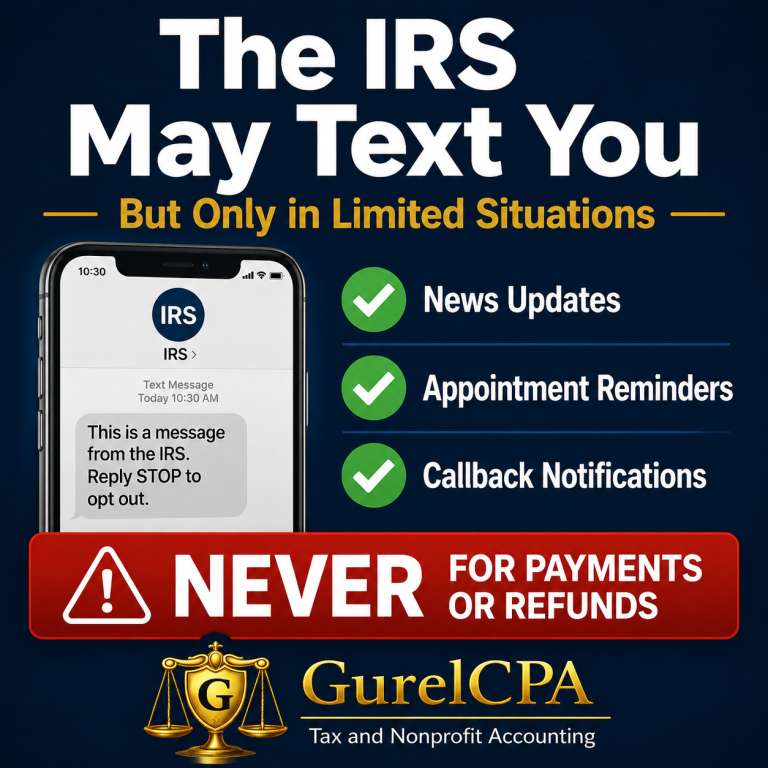
The IRS now uses text messaging for a limited number of situations, including:
IRS News and Updates
If you've signed up to receive IRS news and announcements, you may receive text notifications about:
• Tax law changes
• IRS Newswire updates
• Account notifications
• Security verification codes
These messages are optional and require you to subscribe first.
IRS Appointment Reminders
If you've scheduled an appointment at an IRS Taxpayer Assistance Center and choose to receive text updates, the IRS may send reminders or let you know when it's your turn to be seen.
IRS Callback Notifications
Instead of waiting on hold, some IRS phone services now offer a callback option. If you request one, the IRS may text you when an agent is preparing to return your call.
The IRS Still Will NOT Text You About These Things
The IRS will never send an unexpected text asking you to:
• Pay taxes immediately
• Click a link to claim a refund
• Provide your Social Security number
• Verify your banking information
• Send passwords or security codes
• Scan a QR code to avoid penalties
If a message does any of these things, it's almost certainly a scam.
Watch for IRS Short Codes
Legitimate IRS text messages come from official short code numbers rather than ordinary 10-digit phone numbers.
Current IRS short codes include:
• 91040 – IRS news, appointment reminders, account notifications, and security codes
• 34381 – IRS callback notifications
Even so, scammers continue to get more sophisticated. Never assume a message is legitimate simply because it appears professional.
One Important Security Tip
If you receive a text containing a security code that you didn't request, don't ignore it. It may mean someone is attempting to access your IRS Online Account.
Never give that code to anyone. Instead, log directly into your IRS Online Account yourself and review your account activity.
What To Do if You Receive a Suspicious IRS Text
• Don't click any links.
• Don't reply.
• Don't provide personal information.
• Take a screenshot if possible.
• Forward the message to phishing@irs.gov.
• Forward the text to 7726 (SPAM).
• Delete the message afterward.
Bottom Line
IRS communication is gradually becoming more digital, but scammers are evolving just as quickly.
A legitimate IRS text will only be sent in limited situations that you initiated or specifically agreed to receive. If a text unexpectedly demands money, personal information, or immediate action, treat it as a scam until proven otherwise.
If you're ever unsure whether an IRS message is legitimate, contact GurelCPA before responding. A few minutes of caution can prevent identity theft and costly fraud.
The article is meant for informational purposes only. Please contact me directly to discuss how this applies to your individual tax situation.