How to Choose a Bookkeeping System You Will Use
I often tell small business owners, entrepreneurs, gig workers, and rental property owners to keep good records. The next question is usually the practical one: How?
My answer is to choose a system that works for you and that you will stick with. A spreadsheet you update every week can be more useful than expensive software you never open. As your activity grows, bookkeeping software can make the work easier and give you a clearer picture of your finances. But only if it fits your needs.
The IRS allows any recordkeeping system that clearly shows income and expenses. Whichever method you choose, it should help you prepare accurate tax returns, support deductions, and understand whether your activity is making money.
When a Spreadsheet Works Well
Excel or Google Sheets can be a reasonable choice for a freelancer with relatively few transactions or an owner with a straightforward rental. Start with columns for the date, customer or vendor, description, income, expense, category, payment account, and receipt location. Keep separate totals for each business or rental property.
Use consistent categories, check your formulas, and compare your entries with your account statements. A spreadsheet becomes harder to manage when you need payroll, inventory, unpaid invoice tracking, or several people entering information. Those are good reasons to consider accounting software.
QuickBooks and Xero
QuickBooks Online offers income and expense tracking, bank connections, invoicing, and financial reports. Depending on the plan, it can also provide inventory and project tracking. Payroll and payment services can add costs. Compare the features and accountant access included in the specific plan you are considering.
Xero is another cloud accounting option. It offers bank feeds and reconciliation, invoicing, bill tracking, financial reporting, and shared access for your accountant or bookkeeper. Plans differ in transaction limits and additional features.
Before subscribing to either, consider your transaction volume, your bank connection, the reports you need, and how you will work with your accountant. Compare the regular subscription price and any add-ons, rather than choosing solely on an introductory discount.
Cloud or Desktop
Cloud software runs online, with records stored by the provider. QuickBooks Online and Xero are examples. You can work from different devices and give your accountant access to the same books. This can be especially convenient when you capture receipts on your phone or work away from an office.
Cloud services generally handle software updates and infrastructure backups. You still need strong passwords, multifactor authentication, and appropriate user permissions. Check how to export your data and receipts, what happens if you cancel, and whether the service meets your needs when internet access is unreliable. Keep periodic exports and important supporting documents somewhere you control.
Desktop software is installed on a computer, with the working file typically stored locally or on a server. It may suit someone who needs offline entry or particular desktop features. You are responsible for secure backups, updates, and arranging access for your accountant. Connected services may still require internet access. Desktop software can also require a subscription.
For many small businesses starting fresh, cloud software is a practical choice because sharing the books is easier. A supported desktop system can still be appropriate when its features and workflow fit your needs.
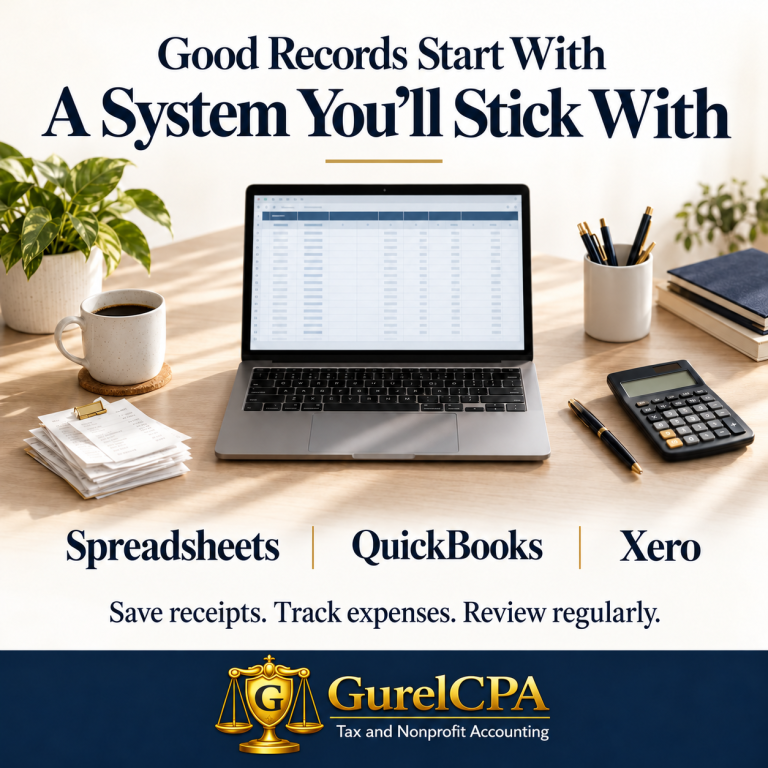
Build a Routine Around Your System
Start with a separate checking account and, when practical, a separate credit card for business or rental activity. This makes it easier to identify transactions and reduces the chance of overlooking expenses or mixing in personal spending.As transactions occur, save receipts and invoices. Add a short note about the business purpose while you remember it. Store readable digital copies in folders by year and activity, or attach them to the related transaction.
- Each week, record income and expenses, review downloaded transactions, and resolve anything unfamiliar. Include cash transactions and business costs paid personally.
- Each month, reconcile every bank and credit card account. Reconciliation means matching the books to the statement and explaining differences. Review your profit and loss report and, if you use accounting software, your balance sheet.
Bank feeds and automated suggestions save entry time, but they still need review. A transfer between your accounts is not new revenue. A credit card payment should not duplicate expenses already recorded from the card. Owner contributions and loan proceeds also need the correct treatment.
Keep the Details Your Activity Requires
For gig workers, save platform statements showing gross earnings, fees, and adjustments. The net deposit reaching your bank account may not tell the whole story. Track income even when no tax form arrives. If you drive for business, keep a timely mileage log showing the date, destination, business purpose, and miles, along with records of total annual mileage. Identify personal and commuting miles separately.
For rental owners, track income and expenses by property. Keep leases, closing statements, and records of improvements and depreciation. Separate repairs from improvements that may need to be capitalized. Track refundable security deposits separately from rent; a deposit intended to be returned is not income when received.
For any business, flag equipment purchases and loan payments for proper treatment. Buying a long-lived asset is not always an immediate expense, and a loan payment may include principal and interest that belong in different categories.
Keep Supporting Documents Accessible
A bank statement may show that you paid a store, but it may not show what you bought or why it was a business expense. Keep the itemized receipt or invoice and relevant business details. Your spreadsheet or bookkeeping entry summarizes the transaction; supporting documents help establish what happened.
There is no single retention period for every record. The IRS lists three years for ordinary income tax records, with longer periods in certain situations. Keep property basis and depreciation records through ownership and until the applicable limitations period expires after disposal. Employment tax records generally must be kept at least four years after the tax becomes due or is paid, whichever is later. Other legal or business needs may require longer retention.
Get Help With the Setup
A little guidance at the beginning can prevent hours of cleanup later. Ask your accountant to help choose categories, establish opening balances, and decide how to handle assets, loans, and owner transactions. If regular bookkeeping keeps slipping, consider outside help with entry or monthly review.
At GurelCPA, we can help you choose a practical approach and understand what records to keep. The best place to begin is with a system you can maintain and a recurring appointment on your calendar to use it.
The article is meant for informational purposes only. Please contact me directly to discuss how this applies to your individual tax situation.